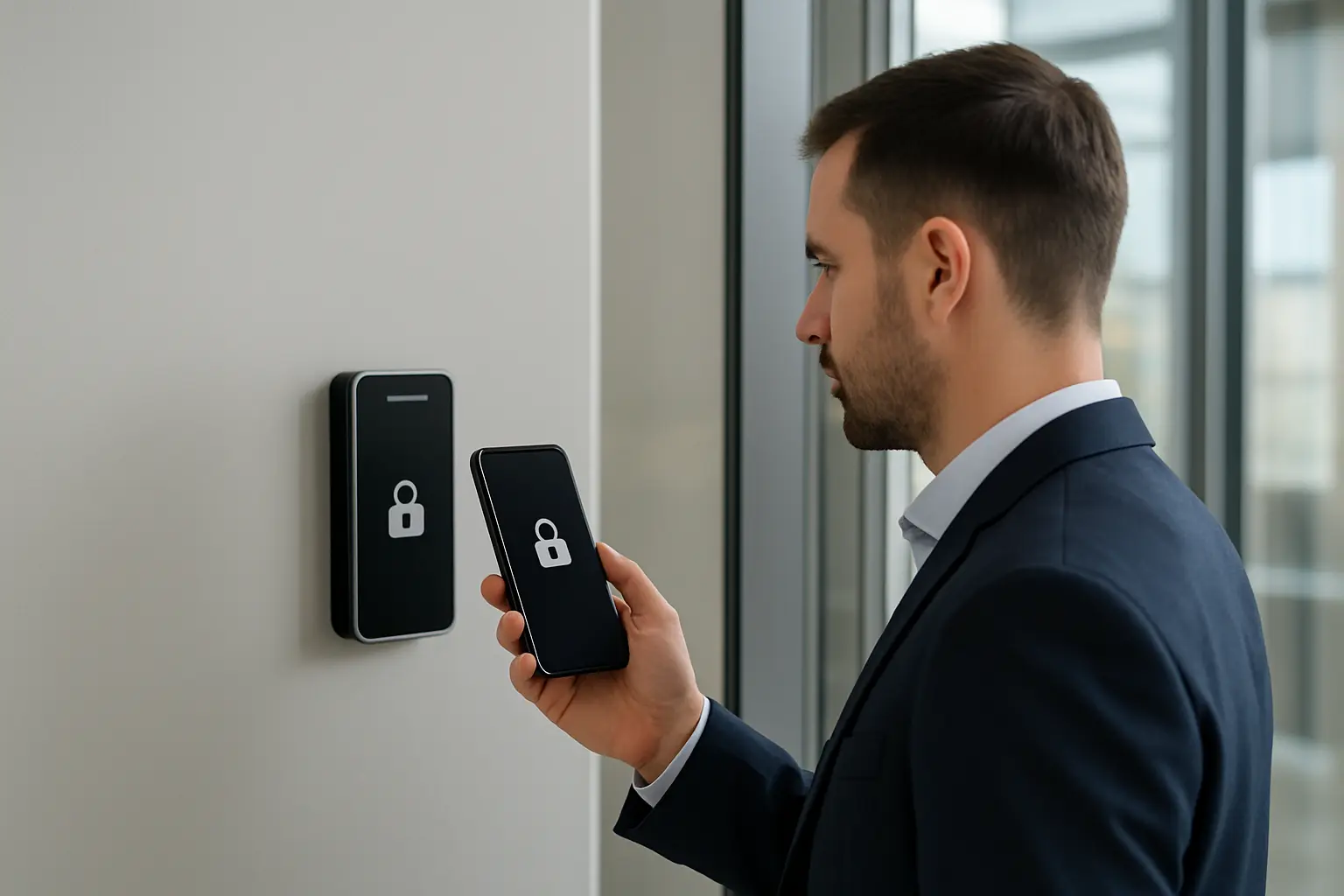
Mobile access control systems are becoming a core part of modern security strategies for commercial properties in Toronto and the Greater Toronto Area. For facility managers and security teams evaluating options, mobile (smartphone) credentials offer a way to replace or augment physical cards and keys while improving convenience, visitor workflows and contactless entry. This guide explains how mobile access control systems Toronto organizations deploy work, integration choices, security considerations and a practical deployment checklist tailored to GTA commercial sites.
Why Toronto businesses are adopting mobile (smartphone) access control
Smartphone access control brings several tangible benefits for commercial sites in the GTA:
- Convenience: Employees and approved visitors use devices they already carry, simplifying day-to-day access.
- Cost reduction: Fewer physical credentials to purchase, program and replace after loss.
- Contactless workflows: Phone-based door access Toronto solutions support touchless entry—important in shared lobbies and high-traffic areas.
- Flexible visitor management: Temporary mobile credentials can be issued, scoped and revoked quickly for contractors and guests.
How mobile credentials work: BLE, NFC, QR and cloud vs on-premise
Mobile credentials typically use one of the following technologies:
- Bluetooth Low Energy (BLE): Readers detect a credential app running on a smartphone and authenticate over BLE—usable for hands-free or proximity scenarios.
- NFC: Near-field communication enables tap-to-unlock interactions similar to contactless cards; useful for short-range access points and compatible with many modern phones.
- QR codes: Camera-based codes are sometimes used for temporary access or visitor flows, though they depend on line-of-sight and single-use issuance.
Architecturally, solutions can be cloud-managed or on-premise. Cloud models simplify remote credential issuance and centralized management across multiple sites in the GTA, while on-premise systems keep control and data local. Many deployments combine both: local controllers and readers with cloud-based credential provisioning and management.
Compatibility and integration with existing systems
Most projects either augment existing card-based systems or progressively replace legacy hardware. Common approaches include:
- Retrofitting existing readers with mobile-capable modules or firmware updates.
- Deploying hybrid readers that support both mobile credentials and legacy cards to maintain backward compatibility during transition.
- Integrating mobile credential platforms with existing access control panels and identity management systems so user provisioning remains centralized.
Access scenarios and use cases for Toronto properties
Typical commercial use cases across the GTA include:
- Office lobbies and turnstiles: contactless entry for tenants and visitors.
- Multi-tenant residential lobbies and amenity access: scoped credentialing per tenant or guest.
- Retail back-of-house and stockroom access: tight control of staff entry and temporary contractor credentials.
- Parking access and gates: mobile credentials for garage entry and barrier control.
Security and privacy considerations
Protecting credentials and networks is critical. Key recommendations:
- Use encrypted credential formats and secure key exchange; avoid simple identifiers stored in clear text.
- Implement rapid revocation workflows for lost or stolen devices and support remote wipe via mobile device management (MDM).
- Adopt multi-factor approaches where required—for example combining device-based credentials with PINs or biometric unlock on the phone.
- Segregate access control controllers from corporate flat networks. Place them on dedicated subnets or VLANs and restrict management access to authorized IT staff.
Operational and IT requirements
Successful deployments require coordination between security, facilities and IT:
- Define provisioning workflows: how employees, contractors and visitors receive and renew credentials.
- Consider MDM to enforce device posture, app integrity and revocation controls.
- Plan for lifecycle management: onboarding, transfers, deprovisioning and audits.
Procurement and deployment checklist for Toronto buyers
When evaluating vendors and planning implementation, check for:
- Interoperability with existing readers and controllers or available retrofit options.
- Credential formats supported (BLE, NFC, QR) and whether hybrid readers are available.
- Clear support for tenant and visitor workflows used in multi-tenant GTA buildings.
- Local support and installation services in Toronto and the GTA, and defined response pathways for issues.
- Security features: encryption, revocation speed, audit logging and network segmentation guidance.
Deployment checklist
- Conduct a site survey identifying door types, readers and network connectivity.
- Pilot with a representative sample of users and doors before full rollout.
- Test integration with existing access control panels and directory services.
- Prepare tenant and employee communications, signage and simple user guides.
- Schedule staged onboarding and validation of revocation/time-bound credentials.
Common pitfalls and troubleshooting
Watch for connectivity problems at readers, battery or handset compatibility issues, and user adoption friction. Early pilots help surface these issues so you can adjust reader placement, app settings or provisioning documentation.
Why work with 360 IT Advanced Security
360 IT Advanced Security provides access control installation and integration services across Toronto and the GTA, focusing on practical deployments that balance convenience and security. We help assess existing systems, recommend retrofit or replacement paths, plan IT and facilities coordination, and run pilot programs to validate workflows before full rollouts.
Ready to evaluate a pilot or full rollout of mobile credentials? Contact 360 IT Advanced Security to schedule an assessment.
Conclusion: Mobile access control systems Toronto organizations deploy can reduce friction, improve visitor management and support contactless operations when planned and implemented with attention to integration, security and operational workflows. Use the checklist above to guide decisions and engage trusted local integrators for site-specific recommendations.