Hosting an event in Toronto — from a one‑day festival to a corporate pop‑up — means balancing guest experience, crowd safety and liability management. Temporary CCTV can deter theft, document incidents and support post‑event investigations without the cost or permanence of a full commercial system. This guide explains practical choices for event organizers and venue managers in Toronto and the Greater Toronto Area, including permits, power and monitoring options.
When to choose temporary CCTV vs permanent systems
Temporary CCTV is ideal for short‑term events, special activations, construction‑adjacent gatherings or when a venue lacks adequate fixed coverage. Choose temporary systems when you need rapid deployment, flexible camera placement, or short‑term cloud/NVR recording. Permanent CCTV remains better for continuous facility security and long‑term evidence retention.
Permits, privacy and local rules in Toronto
Toronto has expectations around privacy, signage and consent. Key considerations:
- Notify attendees and staff that video recording is in use via visible signage.
- Avoid persistent recording of private residences; limit sightlines into homes.
- Comply with venue or municipal requirements for public events and coordinate with venue management on any permit conditions.
Site assessment checklist for events
Before ordering temporary CCTV or event CCTV rental Toronto services, conduct a rapid site assessment:
- Define coverage goals: deterrence, crowd flow monitoring, evidence capture.
- Map sightlines and high‑risk areas: entrances/exits, ticketing, merchandise, backstage, parking.
- Identify mounting points and potential obstructions such as tents or signage.
- Plan for lighting and identify locations needing supplementary illumination.
Power and connectivity options
Power and backhaul choices often determine feasibility for temporary installs in Toronto:
- PoE from onsite network: simplest when a local network switch and power are available.
- Generator or temporary power: reliable for outdoor events without mains access.
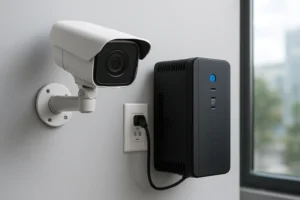
- PoE batteries and UPS: allow short‑term operation without a generator and protect against brownouts.
- Cellular/backhaul: LTE/5G modems or a bonded cellular solution provide remote connectivity for event video monitoring Toronto when wired internet is not available.
Camera types and mounting choices
Pick camera types to match the task:
- Fixed domes for general coverage and low profile.
- PTZ cameras for stage or crowdwide views where active operator control is required.
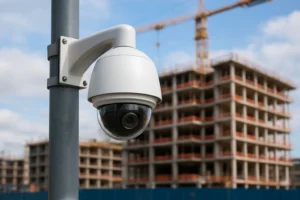
- Vandal‑resistant domes for high‑risk public areas.
- Thermal cameras for crowd movement and perimeter detection in low‑light conditions.
Placement and lighting best practices
Effective placement reduces blind spots and maximizes usable footage:
- Cover all entrances and exits with overlapping fields of view.
- Place cameras to capture faces at ticketing and payment points, avoiding direct backlighting.
- Supplement with LED floodlights or IR illumination if lighting is insufficient.
- For parking areas, elevate cameras for broader coverage and to prevent tampering.
Vandal protection and theft mitigation
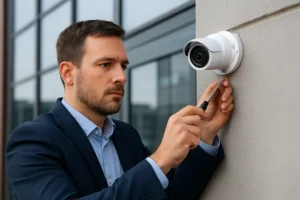
Temporary installs must resist tampering. Use secure mounts, lockable housings and tamper detection alarms. Where concealment is allowed, partial concealment or protective cages can deter opportunistic theft. Coordinate camera placement with on‑site security staff to ensure coverage is monitored and quickly checked during the event.
Recording and monitoring options
Choose a recording and monitoring workflow that matches event scale and evidence needs:
- Onsite NVR for high bandwidth, local retention and quick post‑event retrieval.
- Cloud recording for offsite redundancy and remote access, useful for multi‑day or multi‑site events.
- Live remote monitoring for large events where security teams need centralized situational awareness.
- Evidence preservation: set retention windows, create secure exports, and document chain of custody for footage shared with authorities.
Incident response and coordination
Integrate CCTV with your event security plan. Define escalation paths, designate monitoring staff, and establish a procedure for footage requests from police. Ensure radio or app‑based communication between camera operators and patrol teams to speed responses.
Selecting a provider: scope items to request in quotes
When requesting event CCTV rental Toronto quotes, ask providers to include:
- Full site survey and suggested camera layout.
- Power and connectivity plan (generator, PoE battery, cellular backhaul).
- Installation, live monitoring (if required), and teardown schedule.
- Recording retention, export format and evidence handling workflow.
- Liability and insurance requirements for temporary hardware on site.
Practical checklist for event day deployment and teardown
- Pre‑event: onsite checkout, camera alignment, power and connectivity test.
- During event: periodic camera status checks, battery/generator fuel monitoring, and live feed monitoring if used.
- Post‑event: secure footage export, teardown, and inventory check of all hardware.
Why choose 360 IT Advanced Security for temporary CCTV
360 IT Advanced Security provides site surveys, temporary CCTV Toronto installs, and options for onsite NVR or cloud recording. We work with event staff to plan power/backhaul and to deliver monitoring and evidence preservation workflows tailored to Toronto and GTA venues, including rapid teardown and secure data handoff after the event.
Temporary CCTV is a practical, flexible tool for risk reduction and incident documentation at Toronto events. For a site survey and a clear quote for event security cameras Toronto, contact 360 IT Advanced Security today.
Call to action: Contact 360 IT Advanced Security for a site survey and temporary CCTV quote.