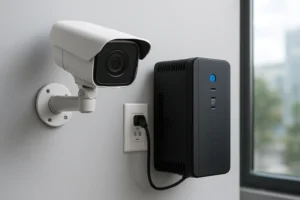

Offsite backup is increasingly essential for commercial CCTV systems. For facility managers, property managers and IT/security teams in Toronto and the Greater Toronto Area, relying solely on on-site NVRs exposes critical video evidence to theft, fire, hardware failure and ransomware. This guide explains cloud and offsite backup options for security cameras and NVRs, legal considerations in Ontario, technical requirements, deployment checklists and practical steps you can take today.
Common offsite backup approaches for surveillance video
Choose a method that fits your operational needs and network constraints:
- Cloud-native VMS: Cameras stream directly to a cloud video management service. Simplifies retention and centralized management but may require camera compatibility.
- NVR-to-cloud sync: Your existing NVR uploads exports or continuous streams to cloud storage. Good for migrating legacy systems without replacing hardware.
- Hybrid local + cloud: Primary recording stays on-site; selected segments or rolling snapshots replicate to cloud for long-term retention.
- Archive/tape for long-term retention: Periodic export of evidence to cold storage for compliance archives; typically used where long retention is mandated and access is infrequent.
Legal, privacy and retention considerations in Ontario
When moving surveillance offsite in Toronto, consider:
- Data residency: Know where your backup storage is physically located and whether that location affects disclosure obligations.
- Retention policies: Define retention periods based on corporate policy, insurance and any sector-specific rules for security camera footage retention Ontario.
- Access controls and disclosure: Implement strict role-based access and logging to protect privacy and simplify responses to disclosure requests.
How to calculate storage and bandwidth needs
Estimate needs using resolution, frame rate, number of cameras, retention target and motion vs continuous recording. Methodology:
- Determine average bitrate per camera at planned resolution and FPS (use manufacturer specs).
- Multiply by hours per day and number of days of retention to estimate raw storage.
- Account for motion-based recording reductions and codec efficiency (H.264/H.265).
- For bandwidth, calculate peak concurrent upload and consider scheduled bulk transfers during off-peak windows to reduce WAN impact.
Technical requirements and compatibility
Key technical checks before procuring offsite backup:
- ONVIF and open standards support to simplify integration.
- NVR export formats and the ability to perform API-driven exports vs file-level copies.
- Manufacturer constraints—some NVRs restrict concurrent cloud connections or need firmware updates.
Security controls for offsite video backups
Protecting video backups requires layered controls:
- Encryption in transit (TLS) and at rest—ensure the provider supports modern ciphers.
- TLS or VPN for uploads where camera/VMS cannot initiate secure sessions directly.
- Secure credential management and, where possible, customer-managed keys for sensitive sites.
Network and deployment considerations for Toronto sites
Plan WAN capacity and replication strategy:
- Decide between scheduled replication (daily windows) or continuous streaming based on bandwidth costs and recovery objectives.
- Use edge storage or PoE switches with local buffering to prevent dropped recordings during outages.
- Run bandwidth tests at each site during representative business hours to validate throughput.
Recommended architectures for typical Toronto use cases
Single-site retail
Hybrid local + cloud: keep recent footage onsite for fast review and replicate flagged incidents to cloud for longer retention.
Multi-tenant residential
Cloud-native VMS with tenant-level access controls to centralize management while isolating footage per unit.
Parking garages and high-capacity sites
Edge recording with periodic bulk uploads to cloud archive; consider motion-only recording to reduce storage needs.
Distributed retail chains
Centralized cloud storage for aggregated search and forensic export; prioritize scheduled replication outside peak hours.
Disaster recovery and restore procedures
Regularly test restores to verify evidence integrity and chain of custody. Maintain export workflows that preserve original timestamps and metadata for investigations.
Operational best practices
- Document retention policies and automate pruning to control costs and compliance.
- Implement monitoring and alerting for replication failures and storage thresholds.
- Schedule periodic proof-of-restore exercises and update runbooks for incident response.
Checklist for selecting a provider in the Toronto / GTA
- Confirm data center location and ability to meet disclosure obligations.
- Validate encryption, authentication and API support for your NVR/VMS.
- Check experience integrating with your hardware for reliable NVR cloud backup GTA or offsite backup for NVR Toronto.
- Ensure support for forensic export and documented restore procedures.
Local deployment checklist for facilities
- Pre-deployment network audit and bandwidth test.
- Permissions and role-based access configured before data migration.
- Run a small pilot to verify backup CCTV footage Toronto workflows and restores.
- Document configuration, retention schedules and escalation contacts.
Common FAQs Toronto customers ask
Bandwidth impact: Scheduled uploads and motion-only replication significantly reduce peak usage. Compliance: Retention should align with corporate, insurance and any applicable local rules. Hybrid vs full-cloud: Hybrid reduces bandwidth and preserves local performance; cloud-native simplifies central management and offsite resiliency.
Why work with 360 IT Advanced Security
360 IT Advanced Security assists Toronto and GTA organizations with planning, proof-of-concept pilots and managed offsite backup for CCTV and NVR systems. We evaluate compatibility with your cameras and NVRs, help calculate storage and bandwidth requirements, and implement secure replication and restore workflows that meet your operational and compliance needs.
Conclusion: Offsite backup for security cameras in Toronto is a practical, necessary step to protect evidence and maintain business continuity. With the right architecture, security controls and provider checklist, you can balance retention, cost and performance without disrupting day-to-day operations.
Contact 360 IT Advanced Security to schedule an assessment or pilot for cloud backup for security cameras Toronto.