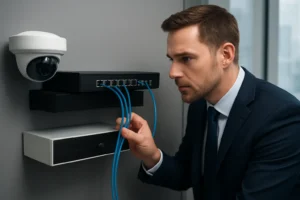

For facility and property managers in Toronto and the GTA, selecting the right network hardware is as important as the cameras themselves. A properly sized PoE switch for security cameras Toronto and the correct cabling determine camera uptime, video quality, analytics reliability and retention. This guide explains what to consider when planning IP camera deployments—power, port density, cabling, environmental protection and integration with your NVR.
Quick glossary
- PoE / PoE+ / PoE++ (802.3af/at/bt) — Standards that define how much power a switch supplies per port (af ≈ 15W, at ≈ 30W, bt up to ~60W+ depending on device).
- Midspan / Injector — External device that adds PoE to a copper run when a switch doesn’t provide PoE.
- Port density — Number of PoE ports you need on a single switch to serve a site or floor.
- Uplink — Higher-speed link (1GbE, 10GbE, or fibre) connecting switches to NVR/storage or the core network.
How PoE affects camera choice and performance
Power requirements vary: a basic fixed camera may only need 5–7W, while models with heaters, IR illumination, analytics or PTZ functions can require 15–60W. Choosing the right PoE standard affects which cameras you can install and where. When planning, confirm peak draw (not just average) so features like heaters and PTZ motors won’t cause brownouts during extreme Toronto winters.
Calculating PoE power budget
PoE budgeting for CCTV starts with per-camera peak wattage. Example approach:
- List each camera’s maximum wattage (peak).
- Sum peaks for all ports on a switch and add ~20% headroom for growth and power losses.
- Confirm the switch’s total PoE budget and per-port limits; some switches limit aggregate power.
This ensures your PoE switch isn’t overloaded during worst-case conditions.
Choosing switch port density and form factor
Match switch size to typical Toronto use cases:
- Small retail — 8–16 PoE ports on an access switch, with a 1GbE uplink to the NVR.
- Multi-floor office — 24–48 PoE ports per floor or closet, 10GbE uplinks between closets and the core.
- Warehouse/industrial yard — Mix of indoor PoE switches and outdoor hardened PoE switches or media converters with fibre uplinks.
Managed vs unmanaged: why managed is usually better for surveillance
For commercial CCTV networks, a managed PoE switch for surveillance provides VLANs, QoS, port monitoring, PoE scheduling and SNMP alerts. These features help isolate camera traffic, prioritise video streams and detect failing cameras before they impact retention. Unmanaged switches are cost-effective for very small installations but lack these operational controls.
Cabling and distance limits
Choose cabling based on speed, environment and future-proofing:
- Cat5e — Acceptable for 1GbE, common in retrofit projects, but less headroom for PoE and future bandwidth needs.
- Cat6 — Recommended for most new camera deployments; better heat dissipation and support for 1GbE and some 2.5GbE applications.
- Cat6a — Preferred where 10GbE is required or for runs in high-EMI environments.
Ethernet has a practical 100m limit for copper. For longer runs use fibre uplinks, PoE extenders, or local powered devices in an enclosure.
Environmental and reliability considerations
Outdoor, garage or unconditioned locations need hardened switches or weatherproof enclosures, surge protection and proper grounding. Place core PoE switches and NVRs on UPS-backed circuits to preserve recording during short outages and plan for battery runtime consistent with retention targets.
Integration and deployment examples
Common configurations:
- Small shop — 8-port PoE switch, Cat6 drops to each camera, 1GbE uplink to single NVR.
- Mid-size office — 24-port PoE+ switch per floor, VLANs for CCTV, 10GbE uplink to storage array.
- Industrial yard — Fibre backbone, hardened outdoor PoE switches in vandal-resistant enclosures, local surge protection.
Installation checklist for Toronto businesses
- Site survey: camera locations, lighting, obstructions and mounting heights.
- Confirm power availability and UPS capacity for switches and NVR.
- Plan conduit and cable pathways; account for municipal access and building code requirements.
- Decide on cable type (Cat6/Cat6a) and fibre where required.
When to call a professional
If you need help sizing PoE budgets, choosing the best PoE switch for IP cameras, planning fibre uplinks or ensuring NVR integration and VLAN segmentation, request a site assessment. 360 IT Advanced Security works with Toronto businesses to design resilient camera networks that support analytics and long-term retention.
Why choose 360 IT Advanced Security
We provide local expertise in designing PoE and cabling solutions tailored to Toronto conditions—matching port density, managed features and environmental protection to each site’s operational needs. Our team coordinates with IT and facilities to ensure reliable uplinks to NVRs and compliant cable pathways.
Next steps: schedule a site survey to get a detailed PoE and cabling plan for your project.
Contact 360 IT Advanced Security for a site assessment.